Labels

Showing posts with label Tasmota. Show all posts

Sunday, January 25, 2026

IP Power Strip #07 - Looking at alternatives for the IP Power Strip project

 I have recently discovered the whole Tasmota thing.  It occurred because I finally started setting up some Sonoff switches and Shelly pucks for use with my HA-IOT server.  When I finally pushed the first Tasmota load to a Sonoff switch and set it up as an extension cord.  When I went to Node Red and started controlling the switch, a lot of lights went on in my head.  

Up to this point I have been concentrating on the IP Power Strip as something being controlled by a Raspberry Pi.  Now, I don't need that.  I did however discover that China is going out of their way to prevent the Tasmota from being installed on their products, so OTA changes cannot occur.  They are interested in these products coming under their ecosystem and no other.  I discovered that with a Geeni smart power strip which I was unable to update from an OTA Tasmota push.  I have not at this point, looked into a physical connection with my development system.  I am pretty sure that the initial load onto this device will have had to be done by a physical connection.  I might have to unsolder something to do it.

This change has opened a whole different aspect to getting lights on and off.  I am anxious to get the Shelly pucks to work in my light switches.  As long as I have enough IP address space I should be good.
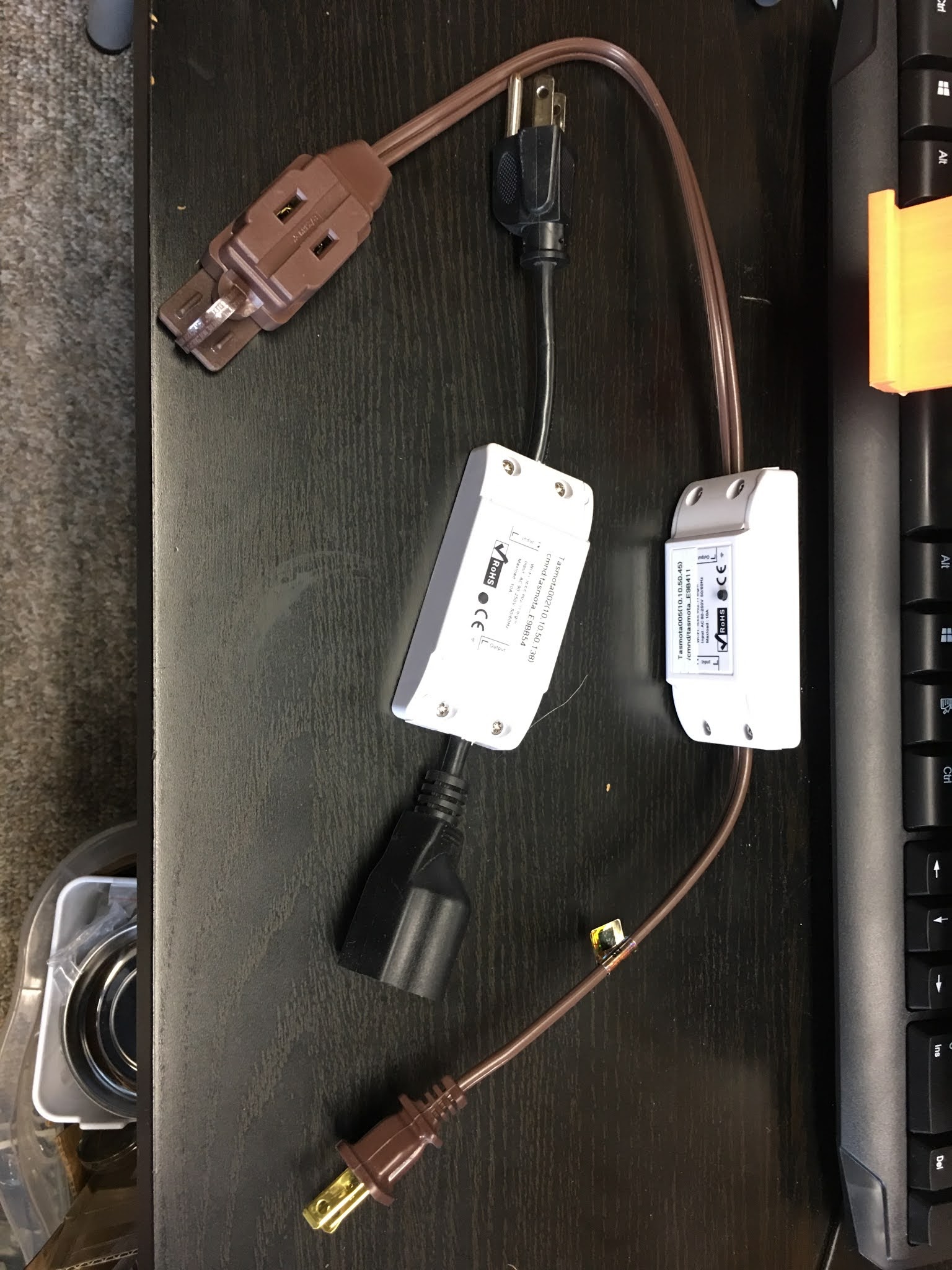


UPDATE: rejuvinated

Thursday, September 8, 2022

There appears to be an issue with the WiFi in my apartment

I have discovered that the WiFi is now stopping on a regular basis in my apartment.  I have no control over it but I would like to set things up so that I don’t have as many issues in what is available.  I have moved the Tempest Weather Station to the Portal SSID so that it has the most connectivity that it can get without being connected to the equipment in my rack.  I am also going to take down the UniFi AP AC Pro so that it doesn’t add to the interference in the apartment.  Perhaps removing this source will help with the overall speed of the WiFi in my apartment.  The problem with this is that I am using the UniFi to connect to the Tasmota switches.  I need something to do this with.  It occurred to me that I might use one of the RPi Zero Ws that I have to make up an isolated network within the rack.  If I keep the power level low enough, I should not cause interference outside of the rack.  Note, I do not have control over what the WiFi does or does not do.

I am also setting up an active/passive WiFi checker within the apartment so that I can get some data with which to analyze what might the problem be.

Update:  I have found 25 APs for the complex included in 832 devices just in 45 minutes.  There is ample amount of WiFi packets that could potentially cause issues, especially if they are on the cusp of the signal.  Further research is warranted.

Tuesday, August 16, 2022

The New Input Architecture to my HomeLab

 I think I may have solved my problem with the WiFi system here at the Retirement Community.  As I said before, this is a WiFi only environment; I can run Ethernet but not through the walls and not connected to the WiFi equipment and I have no control over the WiFi system.  The WiFi equipment has two main SSIDs, SSID1 and SSID2 in the following diagram.

The Incoming WiFi Architecture

The Incoming WiFi Architecture

Notice that there are a number of additional elements to the architecture.  The main input to the MainRouter in my HomeLab is through the WiFi Bridge, a Gl-iNet SLATE router.  That in turn goes into a managed switch, RemoteSwitch, which has a trunk line to my MainSwitch through Two TP-Link AV2000s.  The MainSwitch in turn poses the flow as the [WAN] vlan to the WAN port of my MainRouter.  Having the trunk line between two managed switches gives me great flexibility in how I arrange items in my HomeLab.  In fact I can put part of my [SRV] vlan in the living room where the main input equipment goes.  The MainSwitch also connects to other equipment in my HomeLab as necessary.  Normally I have almost a 30 dBm signal drop between the WiFi Access Point in the living room and my large back bedroom.  This input architecture resolves that.

I have an RPiGateway which is being primed to host input ports into my HomeLab from the outside.  As it turns out I can access RPiGateway from anywhere on the Retirement community campus; I just can't access it from the outside (and I don't need to, I'm not working now).  

Over on the right of the diagram is a problem that was solved through the use of a simple switch.  I have a Sleep-Number bed and it requires a WPA/WPA2 shared key encryption setup on 2.6GHz.  It is also a bit fussy on the level of the signal that it connects to.  So in that respect I have a DIR-505L which is connected to the SSID1 and retransmits a WPA/WPA2 shared key setup to the Sleep-Number bed since WPA/WPA2 is not available from the main WiFi setup.

I have a Tempest Weather station on my balcony which has a hub that was not able to receive the WPA/WPA2 shared key setup from the small bedroom, so it is now connected to a NEWIOTSSID coming from my Unifi AP AC Pro access point.  I also have a SRVSSID broadcast from that access point that I can connect to with my personal laptop in order to perform admin functions on my HomeLab while on my balcony.

I am also using the NEWIOTSSID to connect to a series of Tasmota switches mounted in my HomeLab Rack for the purpose of controlling power to several devices, since I may only have need of a couple at a time.